Gain the Pro Trader’s Edge with cPro
Trusted by Professional Traders

Gain the Pro Trader’s Edge with cPro

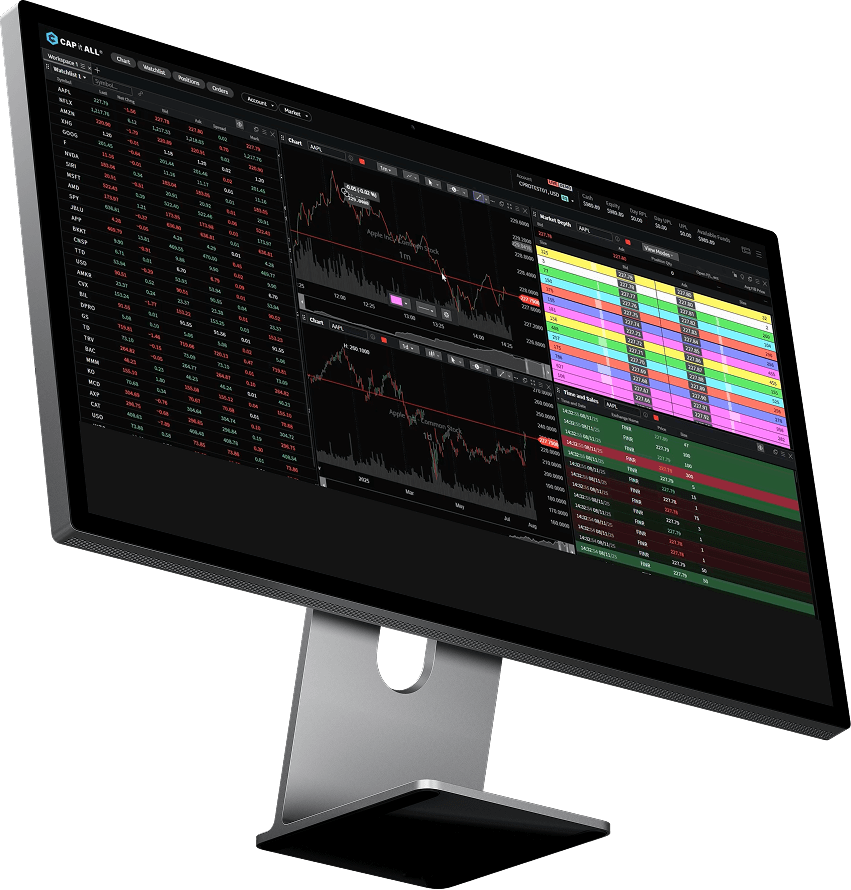
The high-performance trading platform built for speed, precision, and real-time market clarity

Why cPro Stands Apart

Hot Key Functionality

Hot Key Functionality

Tools for power users

Advanced Charting and Analysis Tools

Advanced Charting and Analysis Tools

Customizable Watchlists and Alerts

Customizable Watchlists and Alerts

World Class Security

World Class Security

Unrivalled Customer Support

Unrivalled Customer Support

Simple and Powerful

Simple and Powerful

Advanced Charting and Analysis Tools

Advanced Charting and Analysis Tools

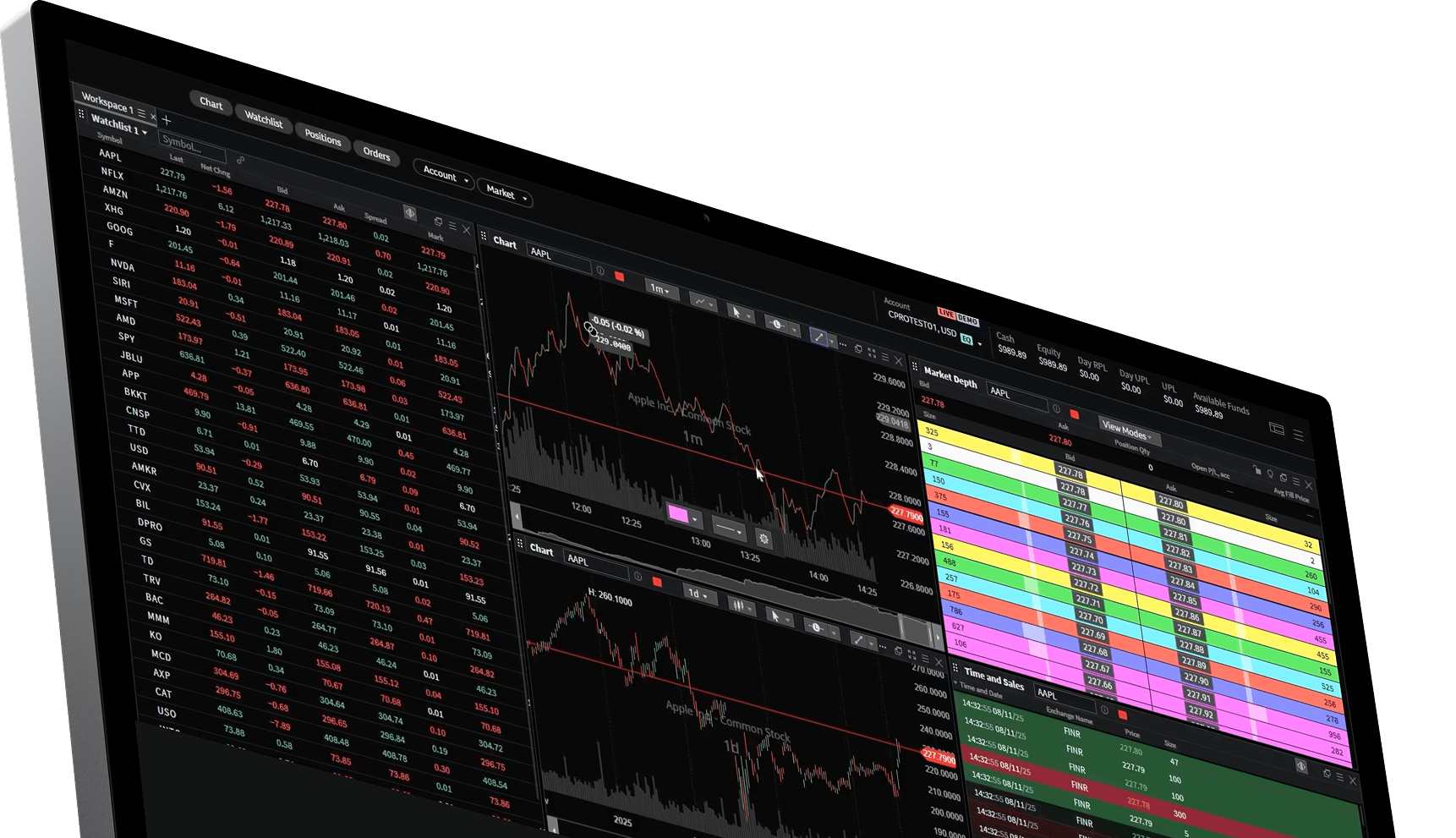
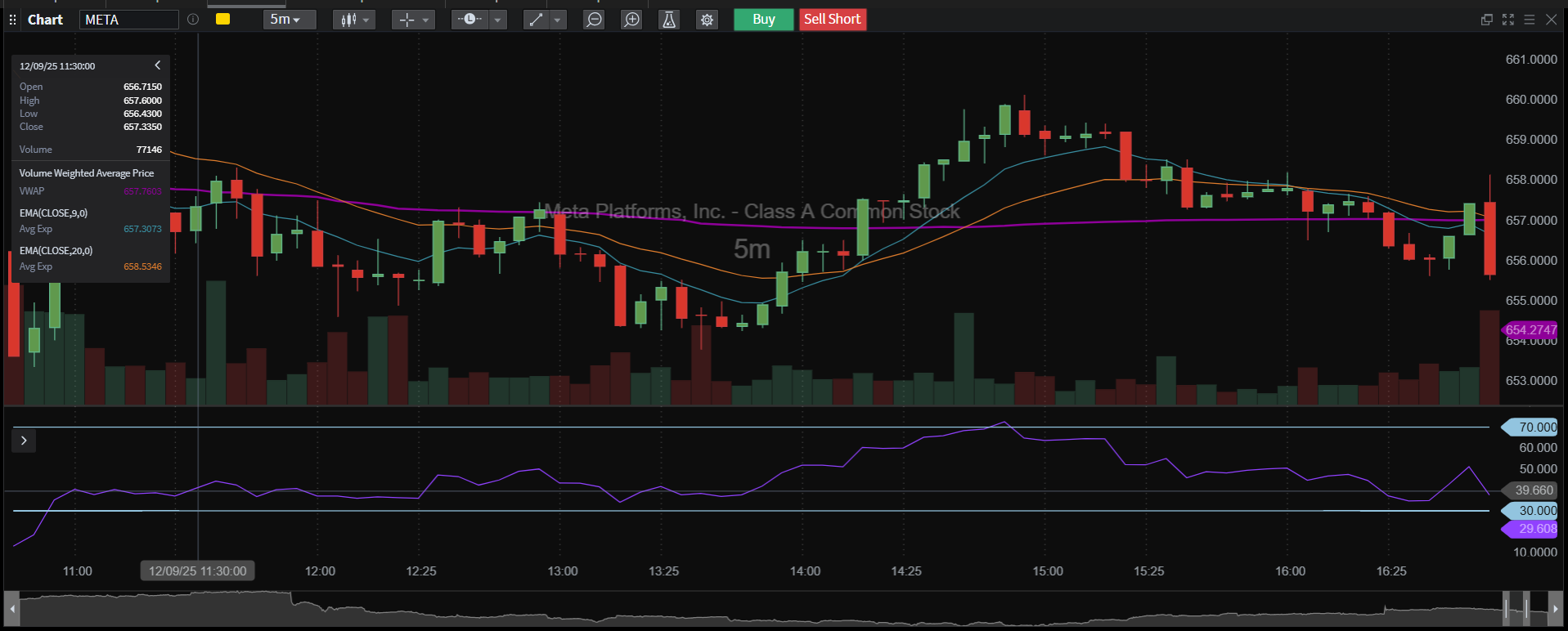
cPro gives you access to dynamic charting and robust analysis tools.

  • Visually intuitive charts
  • Technical analysis tools
  • Level 2 market data
Build Your Ideal Trading Environment

Build Your Ideal Trading Environment

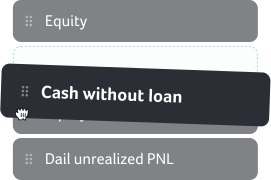
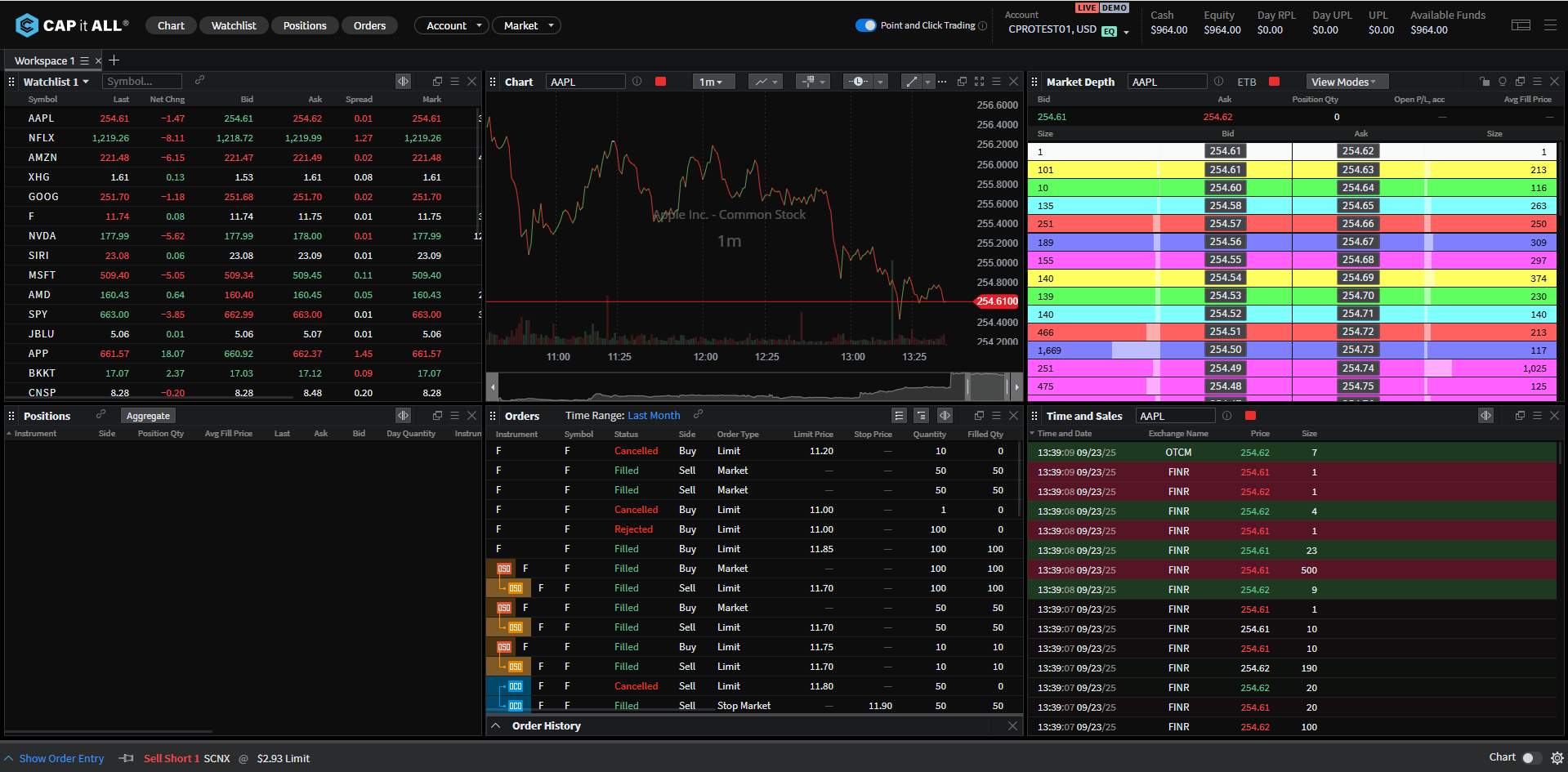
cPro gives you a fully customizable workspace to match your trading style. Control your set up for maximum efficiency.

  • Fully customizable panels let you personalize every chart to fit your trading flow.
  • Instant layout presets so you can save and switch between custom set ups.
  • Multi-display optimization ensures you enjoy a seamless experience across multiple monitors.

Explore the Full cPro
Platform Suite

Trade with a fast, powerful tool

cPro provides powerful, precise functionality

Trade with a fast, powerful tool

Perfect for Windows & Mac

Enjoy seamless performance on both Windows and Mac for a unified professional trading experience.

Perfect for Windows & Mac

Over $1 Billion in Securities Traded using cPro.

Includes trades on CAP it ALL and cPro from multiple broker-dealers since the inception of the platforms.

image

Features You Expect
From a Pro Platform

cPro delivers the power, precision, and flexibility professional traders demand
cPro provides order-routing technology. Execution and routing decisions are determined by the user’s broker-dealer, routing broker or routing brokers, and clearing firm.

  • Professional Trader Tools with sub-millisecond order execution speeds
  • Hot keys and customizable keyboard shortcuts for rapid order entry
  • Real-time P&L tracking at account, position, and trade levels
  • Multi-timeframe chart analysis with synchronized crosshair functionality
  • Pattern recognition alerts for technical setups
  • Multi-monitor support with detachable windows

Traders trust cPro

Preferred by Professionals for Speed, Precision, and Reliability

image

The platform is really intuitive to navigate. Clean layout, everything's where you'd expect it to be. Makes my daily workflow so much smoother.

Benjamin Hughes
Benjamin Hughes

Trader

image

The advanced charting tools are excellent. Really detailed and customizable. Combined with the real-time market data, it's a great setup for doing proper analysis.

James Welch
James Welch

Trader

image

The platform's stability is rock solid. Even during volatile market conditions, cPro runs without a hitch. That kind of reliability matters when you're day trading.

Stephen Carter
Stephen Carter

Trader

image

Wanted to switch platforms and the transition to cPro was seamless. The onboarding experience and setup process were really well thought out. Everything just clicked.

Geraldine Russell
Geraldine Russell

Trader

image

Switched to cPro recently and honestly wish I'd done it sooner. The interface is so straightforward. I was up and running in no time.

Gemma Burton
Gemma Burton

Trader

image

The platform runs smoothly and the real-time data feeds are spot on. Love how responsive everything is, even during high-volume periods.

Max Schuster
Max Schuster

Trader

image

Never had any lag or delays. The performance is consistently reliable.

Thomas Brunner
Thomas Brunner

Trader

image

Really solid trading platform. There's a huge range of charting and analytical tools to pick from, and the US stocks selection is extensive. It's got everything I need in one place.

Simone Bhala
Simone Bhala

Trader

image

Genuinely impressed with how polished everything feels. The interface is clean, responsive, and just easy to use. 5 stars from me.

Daryl Burrows
Daryl Burrows

Trader

image

Fantastic platform. Took me no time at all to get comfortable with it. Been using it for years now and it just keeps getting better.

Brian Galipeau
Brian Galipeau

Trader

Why us

Why Professional Traders Choose cPro

50+

Countries Served

$1B+

Securities traded

6,000+

Stocks & ETFs Available

Professional active traders choose cPro because it delivers professional-grade technology and seamless performance.

cPro is a high-performance trading solution designed for speed, precision, and adaptability qualities essential for active and day traders.

cPro offers fast execution with hot-key functionality, real-time Level 2 market data, and advanced charting tools that support informed and agile decision-making. Our technology gives you multi-screen setups, advanced charting and analysis tools and customizable layouts, giving traders full control over their trading experience.


Stock Prices

Highest volume stocks

Stocks listed are thre highest volume traded on cPro over the last 24 hours. Prices are not real-time and are delayed by up to 15 minutes. Symbols displayed are generated automatically based on market activity and are not curated or selected by Mondeum Technologies, LLC

Ticker name

Ticker
0 USD
0

Ticker name

Ticker
0 USD
0

Ticker name

Ticker
0 USD
0

Ticker name

Ticker
0 USD
0

Ticker name

Ticker
0 USD
0

Ticker name

Ticker
0 USD
0

Ticker name

Ticker
0 USD
0

Ticker name

Ticker
0 USD
0

Support & Resources.

cPro empowers you to design your trading workspace from the ground up with drag-and-drop modules, instant layout presets, and seamless multi-monitor support.

15-minute delayed market data provides price information that is delayed by 15 minutes from current market activity. This means you’re viewing bid prices, ask prices, last traded prices, and volume data as they existed a quarter-hour ago. In a demo account, delayed data lets you practice chart reading, technical analysis, and strategy development without needing real-time feeds—ideal for learning platform features and testing ideas in a low-pressure environment.

Level 1 market data provides real-time pricing information for a security, including:

  • Best bid price – The highest price buyers are willing to pay
  • Best ask price – The lowest price sellers are willing to accept
  • Last traded price – The most recent execution price
  • Trading volume – Total shares or contracts traded

In demo mode with LV1 data, you practice reading live market conditions and executing simulated trades with current pricing—helping you build the reflexes and decision-making skills needed for real trading without financial risk.

Level 2 market data includes everything in Level 1, plus a detailed view of the order book showing:

  • Multiple bid and ask prices at different levels beyond the best available
  • Order size available at each price level
  • Market participant information (often broken out by market maker or exchange)

With LV2 in a demo account, you can practice reading market depth, understanding liquidity patterns, and timing entries/exits based on real order flow—all critical skills for active day traders and scalpers, refined risk-free before going live.

Level 1 shows you the best available prices in real time – the top of the order book. Level 2 shows you market depth beyond the best price in real time – revealing multiple price levels, order sizes, and liquidity at each level. If you’re learning to identify where support and resistance might form, or practicing how to read volume waiting at different prices, Level 2 is essential in your demo training. For mastering basic price tracking and execution mechanics, Level 1 is sufficient.

Hotkey trading is a feature designed to help you develop the speed and muscle memory active traders need to react quickly to market changes. It allows you to practice executing simulated trades and managing positions with a single keystroke, eliminating the need for multiple mouse clicks or menu navigation.

  • Speed – Build reflexes for instant entry and exit with one key press
  • Efficiency – Learn to manage multiple tasks simultaneously without switching between windows
  • Precision – Practice reducing execution delays during fast-moving market conditions
  • Customization – Experiment with key configurations for specific order types, position sizes, and risk parameters

Hotkey trading practice is essential for aspiring day traders, scalpers, and momentum traders who need to develop split-second execution skills before risking real capital in fast-moving markets.

Customizable watchlists and alerts help you practice monitoring multiple assets efficiently and develop systems for staying informed about important market movements without constantly watching your screen.

Practice using watchlists to:

  • Organize securities by strategy, sector, or any criteria that fits your developing trading style
  • Track multiple assets simultaneously in a single, organized view
  • Build familiarity with securities you plan to trade for faster execution when you go live

You should set alerts for:

  • Price thresholds (above or below specific levels)
  • Price movements (percentage changes or dollar amounts)
  • Technical indicators (moving average crossovers, volume spikes, etc.)
  • Custom conditions based on your specific criteria

This feature lets you develop workflow habits for monitoring numerous opportunities across different markets in your demo account, allowing you to focus on analysis and strategy development while the platform watches the market for you.

Browse the Knowledge Base

Browse the Knowledge Base

Full Knowledge Base packed with detailed guides and tutorials

This site is registered on wpml.org as a development site. Switch to a production site key to remove this banner.